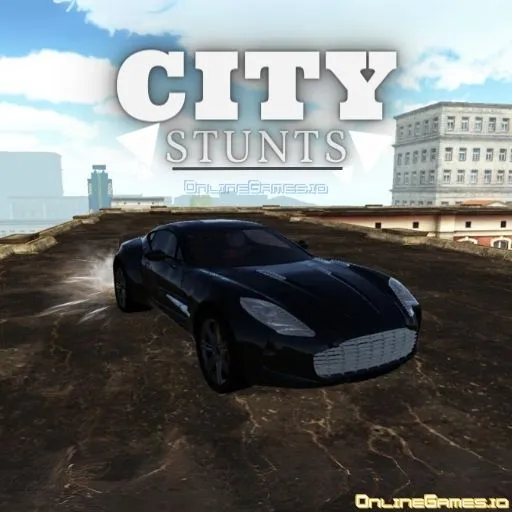
City Stunts
by Community
ULTRAKILL
Moto X3M Winter

Burrito Bison
Pizza Tower
Super Smash Flash
Temple Run 2

Just One Boss
Scooby-Doo! Creepy Run
Bob The Robber 4

Bloonstd 2

Electric Man 2
Snowball.io
Gta Simulator
Drift Hunters Pro

Crazy Cattle 3d Pro

Run 3
Friday Night Funkin
Escape Car
Race Survival Arena King
Fruit Ninja
Vex 3
Rooftop Snipers
Critter Game
Boxing Random
Getaway Shootout
Pico Racer
Crazy Cars
Froppy.io

Sydney Shark
Madalin Stunt Cars 2

Papa Louie 2 When Burgers Attack
Bob the Robber
Browse by Category
You Might Also Like


About City Stunts
Multiple unlockable stunt vehiclesOpen city explorationMission-based challengesHigh-speed nitro boost racing
How to Play City Stunts
Controls
Frequently Asked Questions
How do you unlock new vehicles in City Stunts?
In City Stunts, new vehicles are typically unlocked by completing missions and performing stunts throughout the city. Progress through the game's challenges to earn access to more powerful cars with different handling and speed characteristics.
What is the nitro boost in City Stunts and how do you use it?
The nitro boost gives your car a powerful burst of speed and is activated by holding the Shift key. Use it strategically on straightaways or before hitting ramps to maximize your jump distance and pull off bigger stunts.
How do you reset your car if it flips over in City Stunts?
If your car gets stuck or flips over during a stunt gone wrong, simply press the R key to instantly reset your vehicle back to a drivable position. This lets you quickly get back to racing and performing stunts without restarting the entire session.
How can I play City Stunts for free?
You can play City Stunts for free right here on GlorpMath. No downloads, sign-ups, or payments required. Just click play and start having fun instantly!
Does City Stunts work on school Chromebooks?
Yes! City Stunts runs directly in your browser and works great on Chromebooks, laptops, tablets, and phones. No installation needed.
Is City Stunts unblocked?
GlorpMath hosts City Stunts directly on our servers, making it accessible from most school and work networks. Just visit GlorpMath and start playing!